Request a demo
Fill out the form and
we’ll be in contact shortly

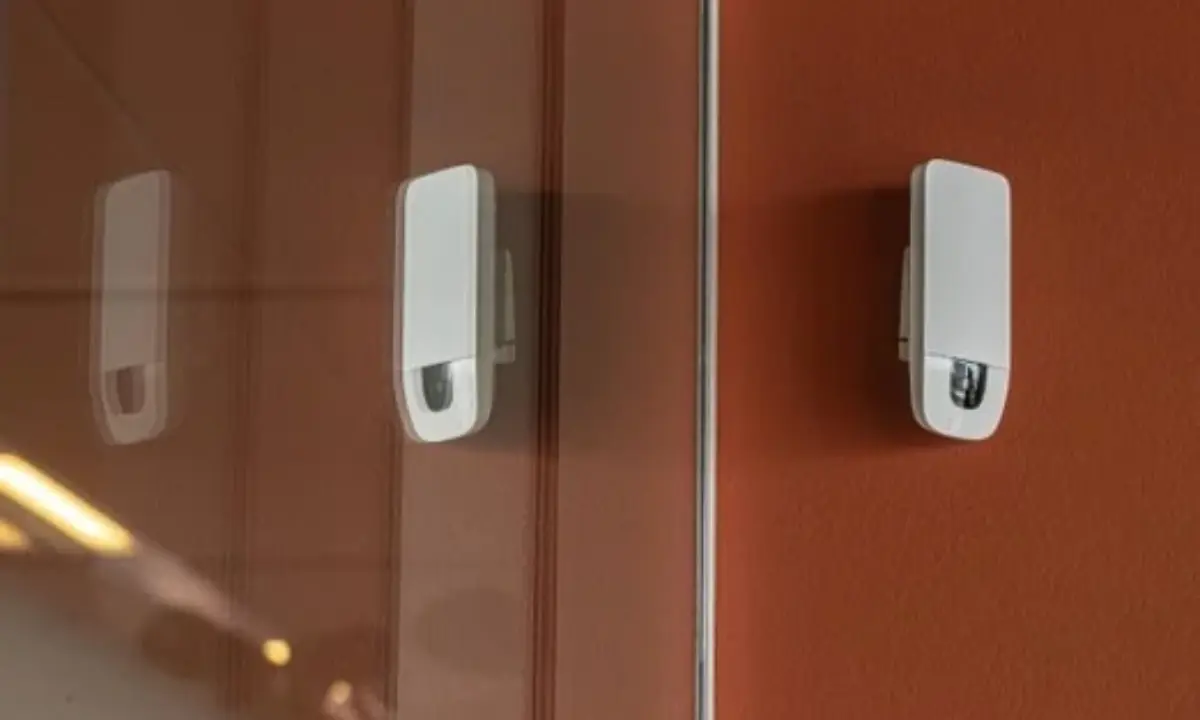
Occupancy sensors provide valuable data on how people use different spaces. For real estate directors, that data makes it easier to cut energy waste, use existing space more effectively, and make informed real estate decisions.
In this article, you’ll learn:
Occupancy sensors are physical devices that detect whether people are present in a space, and often how many (people counting), so buildings can control lighting and HVAC or analyse how space is used. Depending on the technology, they can also:
Occupancy sensors are mainly used to:
Occupancy sensors use different technologies to detect people, but most follow the same four steps:
You can find a wide range of occupancy sensors on the market today. This article covers seven common types: AI vision, passive infrared (PIR), ultrasonic, radar, thermal, time-of-flight (ToF), and hybrid sensors. Each detects a different signal and has its own strengths and limitations.
Occupancy sensors offer four main advantages: lower energy use, better space allocation, smarter real estate investments, and improved employee satisfaction.
Occupancy sensors enable connected building systems to automatically switch off lights in empty rooms and adjust HVAC settings based on occupancy data. This means that less energy goes to heating, cooling, and lighting unused spaces. According to the Carbon Trust, measures like installing lighting and occupancy sensors can cut lighting costs by around 20% a year, and lighting controls alone can reduce electricity use by 30–50% in a typical office.
Most offices have far more space than they use. On an average weekday, only about 3 in 10 desks in UK offices are occupied, and even on the busiest days, Tuesday to Thursday, it’s just 4 in 10, according to the British Council for Offices (BCO). By identifying underused and high-demand areas, as well as usage throughout the week, occupancy sensors allow you to reallocate desks, free up meeting rooms, and rework layouts.
Unused space is expensive. Including rent, rates, service charges, and energy, a single workstation in Mayfair now costs over £21,000 a year. Even in the UK’s major regional cities, it’s only around 40% cheaper. Hybrid work has also changed how offices are used, and the BCO now expects desks to be occupied 66% of the time, down from 80%. Tracking occupancy over time shows whether you need more space or just a better layout.
For example, if certain office areas are barely used while others are always occupied, you can rearrange workstations before committing to an expensive expansion.
According to the World Green Building Council, office design, including layout, air quality, and lighting, affects employees’ wellbeing and productivity. However, a good layout isn’t just about aesthetics. It’s also about whether people can find a desk or meeting room when they need one. Real-time availability data lets employees see what’s free before they arrive. Less time searching for space means less frustration and more time for actual work.
Occupancy sensors can benefit a wide range of organisations, such as:
By measuring how desks, meeting rooms, and shared areas are used throughout the week, occupancy sensors help you:
Occupancy data helps higher education institutions:
Occupancy data helps government offices, libraries, museums, and other public buildings:
Hospitals, clinics, and nursing homes must meet strict standards for privacy, reliability, and safety. Within those limits, occupancy data helps you:
In retail environments, occupancy data enables you to:
With so many occupancy sensors on the market, it’s easy to feel overwhelmed. The good news is that following these six steps can make the choice much simpler.
Start by defining your goal. Do you want to reduce energy consumption, optimise existing space, or inform real estate investments?
Each goal calls for a different level of detection and data quality.
Consider the room’s dimensions and layout, including entrances, partitions, furniture, and lighting. A sensor that suits a small meeting room may not work as well for a large open-space office.
How accurate your sensor needs to be depends on your end goal. A light switching off while someone’s still in the room is annoying, but inaccurate data can lead to costly mistakes when deciding whether you need a bigger office or just a better use of the space you have.
Ask suppliers how accurate their occupancy sensors are, and under what conditions:
Find out what the system collects. Is it images, thermal data, device identifiers, location data, or only anonymous occupancy counts?
Then ask:
This is especially important for companies that are subject to strict data protection rules, such as the GDPR.
Make sure the sensor can talk to the systems that will use its data. Consider:
The sensor price is only part of the total cost. For the full picture, factor in installation, connectivity, gateways, software licences, integration, and maintenance. Then weigh the total against the expected benefits.
It depends on what the sensor collects. Sensors that anonymise data on the device and never create, send, or store personal data are GDPR-compliant. On the other hand, systems that record images or track devices process personal data, so they need a lawful basis and extra safeguards under the GDPR.
Accuracy varies widely by technology. Basic PIR sensors often miss people sitting still and can’t count, while AI vision and time-of-flight sensors can count people accurately at desk and room level. Ubiqisense sensors, for example, reach more than 99% occupancy accuracy over time. When comparing suppliers, ask what the accuracy figure measures and how it was tested.
Occupancy sensors switch lights on automatically when someone enters and off when the space is empty. Vacancy sensors only switch lights off automatically; people turn them on manually.
Some can. PIR sensors detect movement, so they often miss people sitting quietly at a desk. Radar, thermal, and AI vision sensors can detect people who aren’t moving, making them better suited for measuring how desks and meeting rooms are used.
Occupancy sensing measures whether a space is in use, and often how many people are in it. People counting, also called footfall counting, tracks how many people enter and leave through an entrance. Many organisations use both: occupancy data for desks and rooms, and footfall data for buildings and floors.
Basic sensors for lighting control can cost as little as a few tens of pounds, while sensors for space analytics usually cost more and often come with a software subscription. The sensor price is only part of the total, so factor in installation, connectivity, software, integration, and maintenance.
Ubiqisense sensors show how many people use each desk, room, and floor, and when, with occupancy data updated every 20 seconds. Over time, they reach more than 99% occupancy accuracy. They can also tell whether people are sitting or standing, and they calibrate themselves within a few days of installation.
In the Ubiqisense platform, heatmaps show where people spend their time, so you can quickly spot busy and underused areas. The data also connects to the systems you already use, from your building systems to Power BI.
Because all data is anonymised on the device, you can use Ubiqisense sensors even in meeting rooms and other private spaces. Ubiqisense is also ISO 27001 and SOC 2-certified, and GDPR-compliant.
Here’s what that looks like in practice.
When a tenant at Flintholm Company House in Copenhagen asked for more meeting rooms, Nordic real estate specialist DEAS didn’t add square metres. It started measuring how the existing rooms were used. The data told a different story: between 8 am and 4 pm, the meeting rooms were booked only 28% of the time, with an average of four or five people in rooms built for ten. Demand peaked on Tuesdays and Thursdays, and the rooms furthest from employees’ desks were barely used. The problem wasn’t a lack of space; it was how the existing space was set up.
As DEAS’s Lead Architect for Space Planning, Mie Møller, puts it: “We were surprised by the data.” Read the full DEAS story.
A large UK university with a multi-site estate installed Ubiqisense sensors to understand how its teaching spaces were really used. The data showed teaching-room utilisation of just 7 to 12% in rooms the booking system showed as busy. With that evidence, the university closed 28 buildings, cutting its electricity and gas costs by 35%. It now also uses the same data for its ESG reporting and funding bids. See how universities use Ubiqisense.
Want to see how your building is really being used? Talk to Ubiqisense about what your space needs.
Choosing an occupancy sensor depends on what you need the data for. If you only want lights to switch off in empty rooms, a basic sensor will do. But if you’re deciding whether to expand, consolidate, or redesign your workplace, you need data you can trust.
Here’s where accurate, anonymous occupancy data makes the difference. It replaces assumptions with evidence, so you can invest in the space you actually need and stop paying for the space you don’t.
Want to see how your building is really being used? Book a demo, and we’ll show you what your space could look like with Ubiqisense.
Occupancy sensors are revolutionizing how spaces are managed by providing real-time data on usage patterns. This technology not only helps in reducing energy consumption but also enhances the efficiency of space utilization. By understanding how different areas are used, organizations can make informed decisions about space allocation and design, ultimately leading to cost savings and improved employee satisfaction.
